
Course Progress
50%
Course Progress
Getting Online: How to Connect to the Internet
It's Day 14, and today we're covering one of the most important skills for modern computing—connecting to the internet. Whether you're using your computer to browse websites, check emails, or stream videos, you'll need an internet connection.
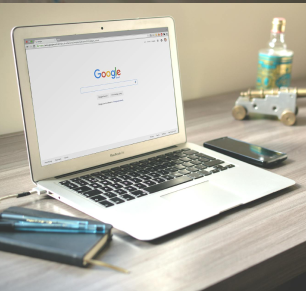
There are two main ways to connect to the internet: Wi-Fi (wireless) and Ethernet (wired). Here's how to set up each one.
Connecting via Wi-Fi (Wireless Connection):
Locate the Wi-Fi icon on your computer's taskbar or menu bar. It looks like a small series of curved lines.
Click the Wi-Fi icon, and you'll see a list of available networks. These are the wireless internet connections your computer can detect.
Select your network from the list (you may need to enter a password if the network is secured).
Once connected, you'll see the Wi-Fi icon light up, indicating that you're online.
Connecting via Ethernet (Wired Connection):
Plug an Ethernet cable into your computer's Ethernet port (or into an adapter if you're using a laptop without one).
Connect the other end of the Ethernet cable to your internet router.
Your computer will automatically detect the connection, and you'll be online instantly.
The internet connects you to the world, enabling you to access information, communicate with others, and use online services. Whether through Wi-Fi or Ethernet, understanding how to connect ensures that you can stay online and make the most of your computer's capabilities.
Can't find your Wi-Fi network? Make sure your router is powered on and that Wi-Fi is enabled on your computer.
Connection is slow? Try moving closer to the router or restarting it by unplugging it for 10 seconds and plugging it back in.
Still no connection? Check that airplane mode isn't accidentally turned on, which disables Wi-Fi.
Take a moment to connect your computer to the internet if you haven't already. If you're on Wi-Fi, practice switching between networks or restarting your connection. If you're using an Ethernet cable, try unplugging and reconnecting it to see how quickly your computer detects the connection.
If you find your Wi-Fi connection is often slow or unreliable, consider using a wired Ethernet connection for a more stable and faster internet experience, especially when working on important tasks.
