
Course Progress
50%
Course Progress
Understanding and Managing PDF Files
It's Day 29, and today we're going to focus on PDF files—one of the most commonly used file formats online. PDFs are great for sharing documents because they maintain the original layout and formatting, no matter where they are opened.
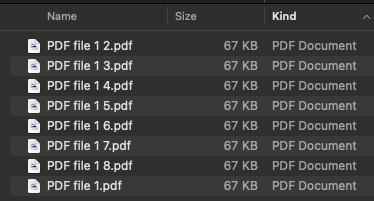
A PDF (Portable Document Format) is a type of file that preserves the formatting of a document. It's often used for things like contracts, user manuals, and forms, ensuring that they look the same on any device.
Most computers come with a PDF reader already installed (e.g., Adobe Acrobat Reader or Preview on Mac).
If you don't have one, you can download a free PDF reader like Adobe Acrobat from the official website.
Double-click the PDF file to open it in your PDF reader.
PDF files are widely used for sharing information because they preserve formatting and are compatible with most devices. Learning to view and manage PDFs is essential for reading important documents, filling out forms, or printing materials.
Download a PDF from a trusted website (like a user manual or eBook) and practice opening it with your PDF reader. Explore the options, like zooming in or printing the document.
If you need to fill out a PDF form but don't have editing software, you can use online tools like Smallpdf or DocHub to add text and signatures.
